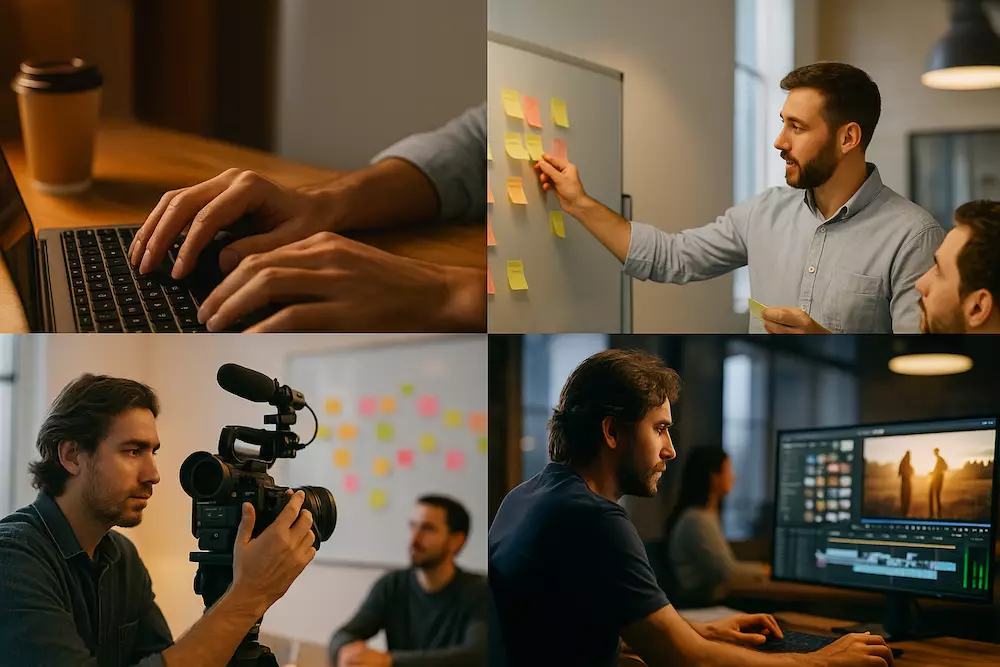
AI B-roll works best when you need one precise supporting shot—not when you ask a video generator to invent random “cinematic footage.” Start with the job the shot must perform, then describe the subject, action, setting, framing, camera behavior, light, mood, and duration in a prompt you can test and revise.
This guide gives YouTubers an evergreen prompt framework plus practical examples for action, mood, establishing, and time-transition B-roll. The examples are tool-agnostic because model names and controls change quickly. Google currently documents text-to-video generation with Veo, while OpenAI has announced the discontinuation schedule for the original Sora experiences. Check the current product documentation before building a workflow around a specific model.
When should you generate B-roll?
Choose the source that makes the story most accurate and useful:
| Need | Best first choice | Why |
|---|---|---|
| Your real workflow, product, screen, or result | Film or screen-record it | It is direct evidence and matches your channel. |
| A common place or object you cannot film | Licensed stock | Real footage is often faster and more trustworthy. |
| A conceptual image, impossible environment, controlled transition, or missing neutral insert | AI-generated B-roll | Generation can create a specific visual that does not need to document a real event. |
Do not generate “proof” of an experience, test, location, person, or result that did not happen. If the viewer needs evidence, use authentic footage.
The AI B-roll prompt formula
Purpose + subject + visible action + setting + shot size and angle + camera movement + light and color + mood + timing + constraints.
For example, “person working at a desk, cinematic” leaves almost every decision to the model. A stronger prompt says what the editor actually needs:
A close-up insert of adult hands typing three short lines on a plain laptop keyboard in a small home office. Camera locked at desk height, shallow depth of field, soft window light from frame left, neutral colors, calm focused mood. One continuous six-second action with natural finger movement. No visible logos, no readable screen text, no camera shake.
Each part solves a production problem:
- Purpose: action, mood, context, transition, information, or metaphor.
- Subject and action: what must remain recognizable through the shot.
- Setting: only the details that affect the story.
- Framing: wide for place, medium for behavior, close-up for detail.
- Camera: locked, slow push, pan, tracking, handheld, macro, or overhead.
- Light and mood: connect the shot to the surrounding edit.
- Timing: one clear action usually generates more cleanly than several events.
- Constraints: exclude logos, text, extra fingers, sudden cuts, or unwanted objects when the tool supports it.
Google’s official Veo prompting guide similarly emphasizes defining the subject, action, environment, camera, lighting, and audio. Exact controls vary, so treat the formula as a creative brief rather than a guarantee.
Action B-roll prompts
Action B-roll shows a physical process mentioned in the narration. Keep the action simple enough to read in one shot.
Typing at a focused workspace
A medium close-up of an adult creator typing notes on a laptop at a tidy wooden desk. The action is a steady natural typing rhythm followed by a brief pause to review the screen. Camera makes a very slow push from the side, warm morning window light, realistic home office, subtle background blur, six seconds. No visible brand logos, no readable interface text, no abrupt hand changes.
Use for: planning, writing, research, productivity, or editing narration.
Making coffee before work
A close-up insert of one hand slowly pouring coffee into a ceramic mug beside a closed notebook. Thin steam rises in soft golden morning light. Camera locked at table height, calm realistic movement, natural shadows, five seconds, clean start and finish. No text, no logo, no extra objects entering frame.
Use for: routines, anticipation, a chapter opening, or a reflective pause.
Mood B-roll prompts
Mood shots should support the emotional direction of the narration without becoming a cliché or falsely depicting a real event.
Quiet isolation
A wide interior shot of one empty chair beside a rain-streaked apartment window at night. Distant city lights appear as soft reflections in the glass. Camera remains completely still, cool desaturated colors, subtle rain movement, restrained and contemplative mood, seven seconds. No person, no dramatic lightning, no text.
A hopeful reset
A close-up of curtains opening slowly as warm early sunlight moves across a simple desk and an unopened notebook. Camera gently tilts down to the notebook, soft natural light, quiet hopeful mood, realistic exposure transition, six seconds. No person, no logos, no exaggerated lens flare.
Match emotional shots to the sentence. Rain does not automatically mean sadness, and golden light does not automatically mean success. The surrounding narration gives the image its meaning.
Establishing B-roll prompts
An establishing shot answers “Where are we?” before the video moves to a person or detail.
Small home studio
A realistic wide shot revealing a compact YouTube home studio in a spare room: one desk, camera on tripod, small soft light, microphone, and acoustic panels. Camera performs a slow controlled slide from the doorway into the room, neutral daylight, practical and attainable setup, seven seconds. No person, no visible product logos, no impossible equipment layout.
City morning
A street-level wide shot of a neighborhood beginning its morning: a café opens, a cyclist passes, and two adults walk toward a transit stop. Camera locked on a tripod, cool dawn light gradually warming, realistic documentary style, eight seconds. No recognizable brands, no famous landmarks, no distorted faces.
Use a generated establishing shot only when it represents a general setting. If your narration says you visited a specific place, generated footage of that place can mislead viewers.
Time-transition B-roll prompts
A time transition marks a new day, chapter, season, or stage. Ask for one readable change instead of multiple transformations in the same clip.
Workspace from day to evening
A locked wide shot of the same simple home workspace transitioning from soft afternoon daylight to a warm desk lamp after sunset. Shadows move naturally across the wall and the window gradually darkens. Smooth realistic time-lapse, no objects changing position, eight seconds, reflective end-of-day mood.
Checklist showing progress
An overhead close-up of a plain paper production checklist as an adult hand checks three boxes one by one with a black pen. Even soft desk light, steady locked camera, natural hand movement, six seconds. The only readable words are Plan, Film, and Edit; no extra fingers, no page morphing, no logos.
Models often struggle with exact text. If legibility matters, generate a blank or simple plate and add the text in your editor.
How to iterate without rewriting everything
- Generate a plain version first. Test whether the subject and action are readable before adding style.
- Change one variable at a time. Adjust framing, movement, light, or action separately so you know what improved the result.
- Shorten the action. If hands, objects, or faces drift, ask for one simple motion in one continuous shot.
- Use a reference frame when available. It can help the shot match your color palette, composition, or recurring environment.
- Generate coverage. Create a wide, medium, and close variation instead of asking one clip to change angles.
- Review frame by frame. Watch for anatomy errors, changing objects, fake text, inconsistent reflections, and impossible physics.
- Save the successful structure. Keep a prompt template and replace only the subject, action, and setting for the next video.
Make generated footage match your edit
- Use the same aspect ratio and a compatible frame rate.
- Match the direction and quality of light in adjacent real footage.
- Keep screen direction consistent: if a person exits right, the next shot should not create accidental confusion.
- Match camera energy. A floating cinematic move will feel detached from a practical handheld vlog.
- Use color correction to bring generated and recorded shots into the same visual world.
- Add sound intentionally; do not assume generated audio belongs in the final edit.
For shot planning, coverage, and editing rhythm, start with the broader YouTube B-roll guide.
Disclosure, accuracy, and monetization
YouTube requires creators to disclose meaningfully altered or synthetically generated content when it appears realistic. Its altered and synthetic content guidance specifically includes realistic scenes that did not occur. Use the disclosure control in the upload workflow when your footage meets that standard.
Disclosure does not turn misleading footage into acceptable evidence. Avoid fabricating real people, events, testimonials, locations, product results, news, or demonstrations. Also check the commercial-use terms for the generator and any reference material you provide.
AI itself is not a durable channel strategy. YouTube’s monetization guidance continues to prioritize original and authentic work and can reject repetitive or mass-produced content. Your selection, reporting, narration, examples, editing, and point of view should create the value.
Frequently asked questions
Which AI video tool is best for B-roll?
The answer changes too quickly for one permanent winner. Compare the tools you can access on prompt control, consistency, resolution, aspect ratio, usage rights, price, and how often the output survives your quality review. This guide uses a tool-agnostic workflow so the production method remains useful.
Can I still use Sora for these prompts?
Prompt concepts may transfer between tools, but availability is a separate question. OpenAI says the Sora web and app experiences were discontinued on April 26, 2026, and has published an API discontinuation schedule. Check OpenAI’s current Sora discontinuation notice instead of relying on older tutorials.
Should I put “4K cinematic” in every prompt?
No. Resolution may be a model setting, and “cinematic” does not define the shot. Describe the framing, movement, light, action, and mood that the edit actually needs.
How long should generated B-roll be?
Long enough to read the action and provide edit handles. A clean five-to-eight-second insert is often more useful than a longer clip in which the scene changes unpredictably.
The practical rule
Write the prompt like a shot brief for a camera operator. If you cannot explain what the shot communicates, where the camera is, and what happens during the take, the model has to invent those decisions for you.