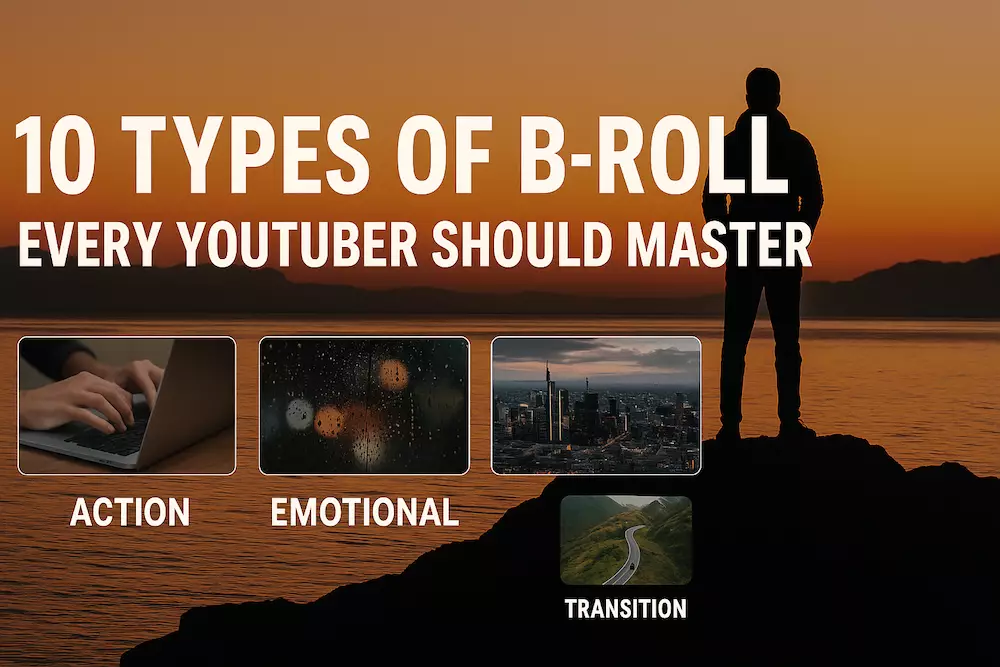
B-roll is the supporting footage that shows what your narration is describing: the hands using a product, the room where a story happens, the details that establish a mood, or the visual proof behind a claim. Used deliberately, it makes a YouTube video clearer, smoother, and more watchable. Used as random decoration, it only creates more work.
This guide combines the practical jobs B-roll performs, ten useful shot types, and a repeatable workflow for planning, filming, and editing it. You do not need a cinema camera or a separate production day. You need to know what each shot is supposed to communicate.
What is B-roll?
A-roll is the primary footage that carries the main message: a talking head, interview, demonstration, or narrated sequence. B-roll is supporting footage placed over or around it to illustrate, prove, contextualize, or add emotion to that message.
| When the A-roll says… | The B-roll can show… | The visual job |
|---|---|---|
| “I plan every video on Monday.” | A calendar, notebook, topic list, and hands arranging cards. | Make the process concrete. |
| “This microphone is easy to set up.” | The cable, controls, mounting step, and a before/after recording. | Provide visual evidence. |
| “I nearly stopped creating.” | An empty desk, unfinished timeline, or late-night room. | Support the emotion without acting it out literally. |
B-roll is not a cure for a weak idea. It works when the supporting image and spoken sentence create one meaning together.
Why YouTube videos use B-roll
- Show instead of only telling. A demonstration is easier to understand and trust than a long verbal description.
- Cover necessary edits. A relevant cutaway can hide a jump cut, shortened pause, or change between takes.
- Control pace. Short, varied shots can add energy; a longer, steady shot can create room for reflection.
- Establish context. A wide view, sign, screen, or environmental detail tells viewers where they are and what matters.
- Carry emotion or subtext. Light, weather, movement, and objects can suggest tension, relief, isolation, or progress.
- Reset visual attention. A useful change in framing can keep an explanation visually legible without turning every sentence into an effect.
The goal is not to replace the talking head every few seconds. Change the image when the viewer needs new information, proof, context, or feeling.
Ten types of B-roll and when to use them
| Type | What it does | Example shots |
|---|---|---|
| 1. Action | Makes an activity visible. | Typing, cooking, packing gear, adjusting a camera, editing a timeline. |
| 2. Mood | Creates an emotional atmosphere. | Rain on glass, warm morning light, an empty chair, a crowded station. |
| 3. Establishing | Places the viewer in a location. | A building exterior, workspace wide shot, neighborhood, event entrance. |
| 4. Time transition | Signals that time or a chapter has changed. | Sunrise, moving shadows, a closing shop, a completed checklist. |
| 5. Informational | Explains a fact, comparison, or abstract idea. | Screen recording, chart, labeled close-up, before-and-after result. |
| 6. Metaphorical | Adds subtext without restating the narration. | An erased page for revision, an open road for possibility, a flickering light for uncertainty. |
| 7. Character context | Shows who someone is through behavior and surroundings. | Tools, routines, hands at work, personal objects, interaction with others. |
| 8. Environmental detail | Gives a place texture and specificity. | Steam, signs, footsteps, desk clutter, traffic reflections, ambient movement. |
| 9. Transition and rhythm | Bridges two scenes or ideas. | Whip movement, an object crossing frame, entering a doorway, matching shapes. |
| 10. Narrative or reconstruction | Shows a past event or missing moment. | Old photographs, recreated details, maps, documents, carefully labeled reenactments. |
One shot can do several jobs. A close-up of an unfinished cup of coffee might establish a late-night workspace, show the passage of time, and support a tired mood. Name the primary job so you can judge whether the shot belongs.
Plan B-roll from the script
Do not begin with “I need cinematic shots.” Begin with the sections viewers may struggle to picture, believe, or feel. Mark those lines in the script and write a simple visual instruction beside each one.
Narration: “I stopped improvising every upload and built a weekly system.”
Visual job: Show the change from disorder to a repeatable process.
Shot list: Messy notes; calendar blocks; template on screen; completed upload checklist.
A useful shot list records six things:
- The narration or section the shot supports.
- The information or feeling it must add.
- The subject and action.
- The framing: wide, medium, close-up, or screen.
- The movement, if movement helps.
- The practical location, prop, or setup needed.
If the shot adds nothing the viewer cannot already see or hear, remove it before filming.
Shoot coverage, not one perfect clip
For each important action, capture a short sequence rather than one long shot:
- Wide: where the action happens.
- Medium: the person and the activity.
- Close-up: the hand, control, screen, texture, or result.
- Beginning and ending: record before the action starts and after it stops so the editor has clean handles.
Repeat the same action if continuity matters. Keep object positions, hand direction, clothing, screen content, and light consistent. A few stable eight-to-ten-second takes are generally more useful than dozens of one-second fragments.
Use movement only when it has a reason
A locked shot makes instructions clear. A slow push can direct attention. A handheld follow shot can add immediacy. A pan can reveal a place. Choose the motion that supports the visual job; movement added merely to look cinematic often makes the edit harder.
Film useful B-roll with a phone
Clean the lens, lock focus and exposure when the phone allows it, stabilize the camera, and use consistent frame rate and orientation. Good light and a clear shot are more valuable than an unnecessary “cinematic” mode. The phone filming guide covers framing, light, sound, and settings in more detail.
Edit B-roll around meaning
- Finish the spoken story first. Make the A-roll understandable before using visuals to rescue it.
- Place proof where the claim occurs. Show the interface, result, or action when viewers need to verify it.
- Enter and leave on a meaningful beat. A new sentence, action, sound, or emotional turn usually gives the cut a reason.
- Let the shot stay long enough to read. A detailed screen needs more time than a familiar coffee pour.
- Use natural sound when it helps. A keyboard, door, street, or tool can make the cutaway feel connected to the scene.
- Remove repetition. Three clips that communicate the same fact are usually weaker than one clear clip.
If every cut is designed only to prevent boredom, the edit becomes exhausting. Rhythm comes from contrast: explanation and demonstration, movement and stillness, wide context and close detail.
Real footage, stock footage, or AI B-roll?
| Source | Best use | Main risk |
|---|---|---|
| Your own footage | Your process, product, place, evidence, or personality. | Requires planning and continuity. |
| Licensed stock | General locations, objects, and concepts you cannot reasonably film. | Can feel generic or conflict with the story. |
| AI-generated footage | Conceptual shots, impossible scenes, controlled transitions, or a missing neutral insert. | Can introduce visual errors, false evidence, and disclosure obligations. |
Never use stock or generated footage as if it proves something you personally did. For a practical prompt workflow and disclosure checklist, use the AI B-roll guide.
A small-channel B-roll workflow
- Complete the outline or rough script.
- Mark only the claims, transitions, and emotions that need visual support.
- Turn each mark into one visual job and a short shot list.
- Group shots by location, prop, and lighting setup.
- Capture wide, medium, and close coverage for important actions.
- Build the spoken edit, then add the most useful B-roll first.
- Watch once without sound: can you understand what each inserted shot contributes?
- Delete filler and keep a reusable library of neutral details, locations, and transitions.
Frequently asked questions
How much B-roll does a YouTube video need?
There is no useful universal ratio. A product demonstration may need supporting visuals almost continuously; a personal story may become more powerful when the face remains visible. Add B-roll where it clarifies, proves, locates, transitions, or deepens the moment.
How long should a B-roll clip stay on screen?
Long enough for the viewer to understand the subject and action. Simple details can be brief; an interface, chart, or unfamiliar place needs more reading time. Cut according to comprehension and rhythm rather than a fixed number of seconds.
Can B-roll hide jump cuts?
Yes, when the inserted image is relevant to the sentence. If the visual is unrelated, the edit may be smooth but the story becomes less clear.
Should beginners film B-roll before or after A-roll?
Plan it before recording, then capture it after the main take when you know which lines and demonstrations survived. For a documentary or one-time event, capture essential context and details while they are available.
The rule to remember
Do not ask, “What extra footage can I add?” Ask, “What does the viewer need to see here?” That question turns B-roll from decoration into visual storytelling.