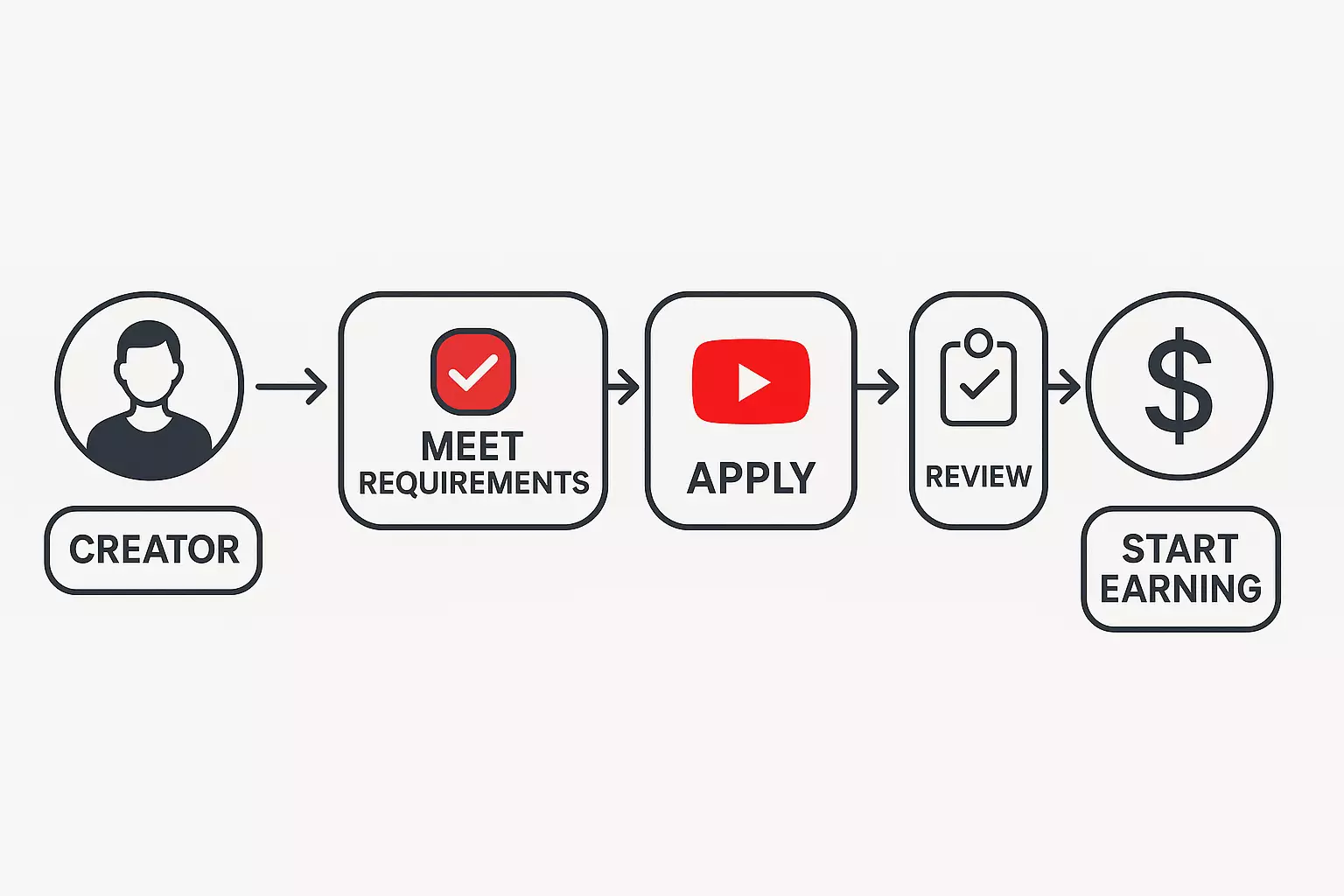
You do not become a YouTube Partner simply by reaching a subscriber number. You need to meet the threshold available in your country, complete the signup steps in YouTube Studio, and pass a channel-wide monetization review.
There are also two different milestones that creators often confuse: in eligible countries, the expanded YouTube Partner Program can unlock fan funding and Shopping at 500 subscribers, while ad and YouTube Premium revenue sharing still requires the higher 1,000-subscriber threshold.
Rules checked August 17, 2026 (site time). YouTube has announced updated YPP terms beginning February 1, 2027, so always confirm the current requirements in YouTube’s official YPP overview and the Earn tab in your own Studio before applying.
YPP eligibility: the two levels
| Level | Channel threshold | What it can unlock |
|---|---|---|
| Expanded YPP Eligible countries only | 500 subscribers, 3 public uploads in the last 90 days, plus either 3,000 qualified public watch hours in 12 months or 3 million qualified public Shorts views in 90 days | Fan-funding features such as memberships, Super Chat, Super Stickers and Super Thanks, plus selected Shopping features, subject to each feature’s requirements |
| Ad revenue sharing | 1,000 subscribers, plus either 4,000 qualified public watch hours in 12 months or 10 million qualified public Shorts views in 90 days | Watch Page Ads, Shorts Feed Ads and YouTube Premium revenue sharing, plus the eligible fan-funding and Shopping features |
The 500-subscriber level is not an early shortcut to ad revenue. It is earlier access to selected earning features, and it is only available in countries and regions included in the expanded YPP. YouTube Studio → Earn shows the requirements that apply to your channel.
The complete application checklist
Meeting the numerical threshold makes a channel eligible to apply; it does not guarantee acceptance. Before you apply, confirm all of the following:
- Your channel follows the YouTube channel monetization policies.
- Your channel is based in a country or region where the applicable YPP level is available.
- Your channel has no active Community Guidelines strikes.
- Two-Step Verification is enabled on the Google Account.
- The channel has access to YouTube’s advanced features.
- You have one active AdSense for YouTube account linked, or are ready to create one from inside YouTube Studio.
- You have reached one of the subscriber plus watch-hours or Shorts-views combinations above.
Do not create a new AdSense for YouTube account from an unrelated AdSense page. YouTube’s instructions specifically tell applicants to create or link it during the Studio application flow.
What counts toward the watch-hour and Shorts thresholds?
For the long-form route, YouTube counts qualified watch hours from public long-form videos. Watch time from private, unlisted or deleted videos does not count. Watch time generated by ad campaigns does not count, and watch time from views in the Shorts Feed does not contribute to the 3,000- or 4,000-hour long-form threshold.
For the Shorts route, YouTube counts qualified views from public Shorts appearing in the Shorts Feed. Private, unlisted or deleted Shorts, ad-campaign views and image Posts appearing in the Shorts Feed do not count.
This is why deleting or changing the visibility of a video can change the eligibility number shown in Studio. Use the Earn tab as the source of truth instead of trying to reconstruct the total from ordinary Analytics reports.
How to apply in YouTube Studio
- Sign in to YouTube and open YouTube Studio.
- Select Earn in the left menu.
- When the channel is eligible, select Apply Now.
- Review and accept the YPP Base Terms.
- Set up an AdSense for YouTube account or link an existing active account.
- Wait for the Get Reviewed step to change from In Progress to a decision.
YouTube says applications are usually reviewed in about one month, although application volume, system issues or a channel requiring multiple reviews can cause delays. Falling below the threshold after a completed application does not cancel the review, but deleting videos or changing their visibility can affect application status.
What YouTube reviews across your channel
The review is not limited to the video that earned the final watch hour. YouTube’s monetization policy says reviewers may examine the channel’s main theme, most-viewed videos, newest videos, the videos responsible for the largest share of watch time, metadata and the About section.
Before applying, audit the channel as a reviewer would:
- Make authorship clear. A viewer should be able to understand what you created, filmed, researched, narrated or transformed.
- Review your biggest watch-time sources. A large library does not hide a few high-traffic videos that fail policy.
- Remove misleading packaging. Titles, thumbnails and descriptions are part of the review.
- Check reused material. Permission or the absence of a copyright claim does not automatically make reused content eligible for monetization.
- Avoid mass-produced sameness. YouTube describes generic, repetitive or templated content with little variation or original value as inauthentic content.
AI tools are not an automatic rejection. The risk is a channel that looks mass-produced or interchangeable and does not add an original perspective, useful explanation, narrative or other meaningful value. Your repeatable content system should improve production efficiency without making every video substantively identical.
If your YPP application is rejected
Do not immediately delete the entire library or re-upload the same videos. First read the decision, compare the channel with the monetization policy, and identify the group of videos most likely to have caused the problem.
YouTube says a first rejection can be appealed within 21 days, or the creator can continue publishing original content and reapply after 30 days. After later rejections or reapplications, the waiting period may be 90 days. Use the current instructions shown with your decision because the available action depends on the channel’s history.
What to do after approval
Approval does not automatically turn on every earning method. In Studio → Earn, review the modules relevant to your channel:
- Watch Page Monetization Module for ads and YouTube Premium revenue on long-form videos and live streams.
- Shorts Monetization Module for Shorts Feed ad revenue sharing.
- Commerce Product Module for eligible memberships, Supers and other fan-funding features.
Each individual video must still meet advertiser-friendly guidelines before ads can run. YouTube may also turn off monetization on channels that have not uploaded a video or posted to the Posts tab for six months or more.
A practical route to eligibility for a small channel
Choose the route that matches how viewers already consume your work instead of chasing both counters at once.
- Pick long-form or Shorts as the primary threshold. Shorts Feed watch time does not count toward long-form hours.
- Build a recognizable series. Related videos give a satisfied viewer a clear next video without turning the channel into repetitive template content.
- Measure the bottleneck. Use the YouTube Analytics Guide to separate weak discovery, weak packaging and weak retention.
- Favor useful library growth. A durable evergreen video can continue accumulating qualified watch hours after publication.
- Audit policy before the threshold day. Fixing unclear ownership or reused-content problems is easier before the channel enters review.
Frequently asked questions
How can I become a YouTube Partner?
Meet the YPP requirements shown in Studio → Earn, accept the Base Terms, link an active AdSense for YouTube account and pass the channel review. Reaching a numerical threshold alone does not make the channel a partner.
Is 500 subscribers enough for YPP?
In an expanded-YPP country, 500 subscribers can be enough to apply for selected fan-funding and Shopping features if you also have three recent public uploads and meet the lower watch-hours or Shorts-views threshold. It is not enough for ad revenue sharing.
Do Shorts watch hours count toward 4,000 hours?
No. Watch time from views in the Shorts Feed does not count toward the long-form watch-hour threshold. Shorts have a separate qualified-views route.
How long does YPP review take?
YouTube says a decision typically takes about one month, but delays are possible. The current status appears in Studio → Earn.
Can YouTube show ads before I join YPP?
Yes. YouTube may serve ads on content even when the channel has not qualified for YPP. Until the channel qualifies for the higher YPP level and accepts the relevant module, the creator does not receive a share of that ad revenue.
Official sources
- YouTube Partner Program overview and eligibility
- Expanded YouTube Partner Program
- Choose how to monetize
- YouTube channel monetization policies
YPP is one earning system, not a complete business model. Use the YouTube Monetization Guide to choose the right route for your channel, then compare sponsorships, affiliate offers and products in ways to make money beyond YouTube ads.