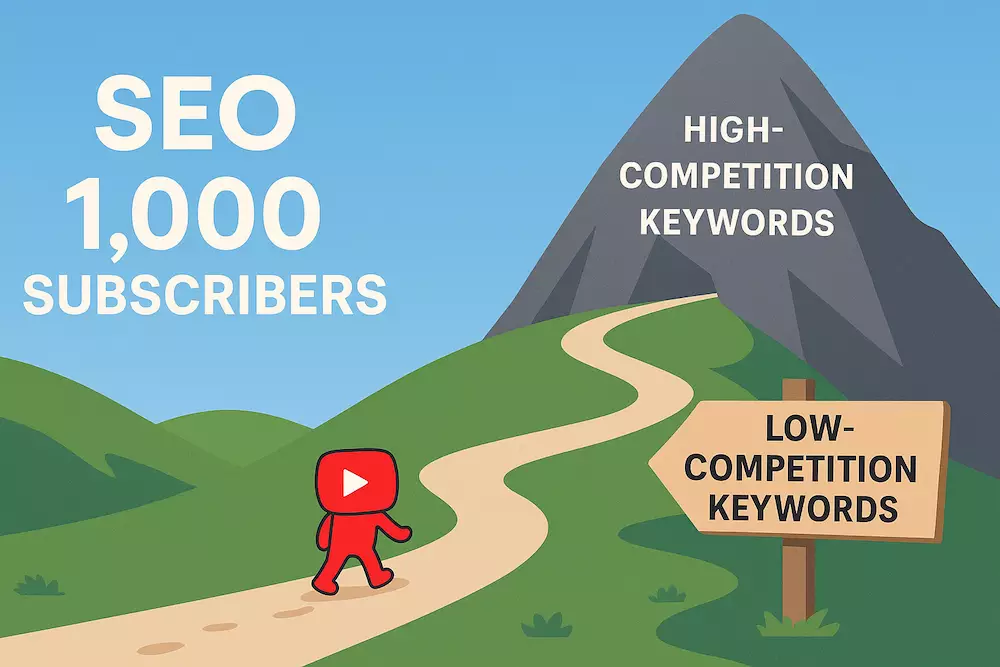
A low-competition YouTube keyword is not simply a phrase with a high score in a browser extension. It is a real viewer question with enough evidence of demand, a search results page you can improve on, and an answer your channel can make more useful or specific than the existing videos.
Small channels should look for topic opportunities, not magic keywords. This guide combines YouTube search predictions, the actual results page, Trends, competitor gaps, your own Analytics, and a simple scorecard so you can decide what to make without pretending public tools know exact YouTube search volume.
What “low competition” should mean
A topic is promising when four conditions overlap:
- Audience fit: the searcher resembles the viewer you want to serve repeatedly.
- Demand evidence: multiple signals show that people ask or care about the problem.
- Result weakness: the current videos leave an important part of the intent unanswered, outdated, unclear, or poorly demonstrated.
- Your advantage: you can offer experience, evidence, access, clarity, speed, a better example, or a useful constraint.
A small keyword with perfect channel fit can be more valuable than a broad phrase that attracts people who never watch another video. “Low competition” should describe your ability to satisfy the query, not merely the number displayed by a tool.
Why keyword-tool scores are estimates
Tools such as TubeBuddy and vidIQ can organize ideas and provide directional estimates, but their volume and competition scores are not YouTube’s internal ranking data. Different tools can score the same phrase differently because they use different sources and models.
Use a score to create a shortlist, never as the final publishing decision. Before making the video, inspect the actual results, the audience intent, and the evidence you can bring. Do not pay for a tool until you have a repeatable process that the paid feature will materially improve.
Step 1: start with a viewer problem
Begin with a situation you understand, then generate several ways a viewer might express it:
Viewer: a new cooking creator filming alone in a small apartment.
Problem: overhead footage is unstable and dark.
Possible searches: “overhead cooking video setup,” “film cooking videos alone,” “light overhead food videos,” “phone mount for cooking videos.”
This produces related but different intents: complete setup, solo workflow, lighting, and equipment choice. Pick one for a video. Trying to target all four usually produces a generic answer.
Step 2: use YouTube search predictions carefully
Type the seed phrase into YouTube and note useful completions. Add words that reveal intent or constraints, such as:
how to,why,fix,without, orvsfor beginners,for small channels, or a specific profession- a device, software version, budget, room, format, or skill level
- a result such as faster, quieter, clearer, stable, or no watermark
YouTube says its search predictions can reflect popularity or similarity, but signed-in history may also influence what you see. Predictions are evidence that a phrase or related pattern exists—not exact volume, a recommendation from YouTube, or proof that your video will rank.
Keep a short list of phrases that describe meaningful problems. Do not generate hundreds of alphabetical variations that you cannot evaluate or make.
Step 3: inspect the search results page
Search each candidate and review the first results as a viewer:
- Intent: are results tutorials, reviews, comparisons, Shorts, news, or entertainment?
- Specificity: do they answer the exact constraint or only the broad subject?
- Freshness: does the topic require current software, pricing, policy, or product information?
- Evidence: do the videos demonstrate the process or repeat generic advice?
- Viewer level: are they designed for beginners, experts, teams, or a different audience?
- Packaging: can a viewer immediately understand the result from the titles and thumbnails?
- Channel strength: are all useful results from established specialists, or can a focused small creator add a distinct answer?
Do not assume old videos or small view counts automatically mean weak competition. An older answer may remain excellent, and a low-view result may be new. Read comments, watch the key sections, and identify a specific gap you can solve.
Step 4: look for a useful result gap
Good gaps usually come from the answer, not the keyword:
| Gap | Opportunity | Example angle |
|---|---|---|
| Existing videos are broad | Serve one audience or constraint completely | “DaVinci Resolve proxy workflow for an older laptop” |
| The interface or policy changed | Show the current process and date the review honestly | “Add a channel trailer in the current Home tab” |
| Advice lacks proof | Demonstrate before/after, data, or a complete test | Compare the same phone audio at three distances |
| Results skip a difficult step | Build the video around that exact failure point | Fix clothing noise in a lavalier recording |
| Every result requires expensive tools | Offer a credible low-budget method | Light a product demo with one window and foam board |
| Comments repeat one question | Answer the unresolved follow-up | Adapt the tutorial for Android instead of iPhone |
Your advantage must be real. Rewriting another creator’s steps with a slightly different title is not a gap.
Step 5: validate demand with multiple signals
No public signal is perfect. Combine several:
- YouTube search predictions and related refinements.
- Repeated questions in comments, communities, support forums, customer conversations, or your own audience.
- Several current videos addressing adjacent versions of the problem.
- Your channel’s YouTube Search terms and Trends tab.
- Google Trends direction and seasonality.
- Products, policies, events, or workflows that create a new recurring question.
Google Trends can compare relative search interest over time, but it is not an exact YouTube volume counter. When available, choose the YouTube Search type, keep region and time settings consistent, and compare phrases rather than interpreting the graph as a number of searches. Google’s Trends comparison documentation also distinguishes exact search terms from broader topics and warns that spelling variations are not automatically combined.
If one tool shows a score but no real viewers seem to ask the question, do not let the score create a video by itself.
Step 6: score the topic with evidence
Use a simple 0–2 score for each factor. The purpose is consistency, not false precision.
| Factor | 0 | 1 | 2 |
|---|---|---|---|
| Audience fit | Unrelated viewer | Adjacent viewer | Core viewer and promise |
| Demand evidence | Only a tool score | One additional signal | Several independent signals |
| Result gap | No clear gap | Minor improvement | Important unanswered job |
| Your proof | No experience or evidence | Can research and demonstrate | First-hand result, data, or access |
| Repeatability | One unrelated video | One useful follow-up | Supports a coherent series |
| Production fit | Cannot make it credibly now | Possible with significant friction | Can make and maintain it well |
A high total does not guarantee views. It tells you the idea has enough evidence and strategic fit to justify a test. Reject ideas with no audience fit or no credible answer even if the other scores look attractive.
Step 7: separate evergreen and time-sensitive opportunities
Evergreen questions recur: choosing a niche, removing echo, writing a script, or reading retention. They are suitable for durable guides and should be maintained when facts change.
Time-sensitive questions appear around releases, policy changes, events, or emerging tools. Speed can matter, but only if the information is accurate and your channel has a real reason to cover it. A rushed summary of public announcements is not automatically low competition.
Label dates only when they affect the answer. Do not add the current year to a timeless topic as decoration.
Step 8: turn one topic into a three-video test
One upload gives limited evidence. Build a small cluster serving the same viewer:
- Primary answer: solve the main search task.
- Failure point: address the step viewers most often get wrong.
- Next decision: compare an option or show what to do after the first result.
Link the videos naturally with playlists, cards, end screens, and descriptions. This tests whether the topic attracts a viewer who wants more from your channel, not only whether one keyword produces an impression.
Step 9: use Analytics to replace guesses
After publishing, open the video’s Reach report. YouTube’s official Analytics documentation says the YouTube Search report shows the terms viewers used when they found the video.
Ask:
- Are impressions and views coming from the intended searches?
- Do unexpected terms reveal a better wording or a confusing promise?
- Did search viewers click when the video appeared?
- Did the opening and retention deliver the answer they expected?
- Did viewers continue to another related video?
- Which follow-up questions now have real evidence?
Your own search terms become more valuable than a generic tool score because they show how actual viewers connect your content to queries. Small channels may have limited data, so compare related videos and longer periods without overreacting to a handful of impressions.
Common keyword-research mistakes
- Choosing the highest tool score. A model estimate cannot replace intent and result-page review.
- Confusing autocomplete with exact volume. Predictions are directional and can be personalized.
- Calling any long phrase “low competition.” Specific words do not guarantee a weak results page.
- Copying a competitor’s topic without a better answer. Similarity is not differentiation.
- Chasing trends outside the channel promise. The views may not create a returning audience.
- Targeting bots or artificial traffic. The goal is relevant human viewers, not automated views or misleading keyword traffic.
- Publishing isolated ideas. A topic should ideally support a useful next video and broader channel direction.
- Adding a year to appear current. Update the substance when freshness matters.
Topic research worksheet
- Core viewer:
- Problem or decision:
- Candidate query:
- Dominant search intent:
- Demand evidence:
- Current result weakness:
- Your proof or advantage:
- Primary video promise:
- Two related follow-ups:
- What Search and retention data will confirm or reject the idea:
Once the topic is chosen, use the YouTube SEO workflow for small channels to turn the intent into the video, title, thumbnail, description, and post-publish review.
The recommendation
Start with one viewer problem, collect several signs of demand, inspect the real results, and identify an answer you can make meaningfully better. Use tools to organize evidence, not to outsource judgment. Then publish a three-video test and let your own Search terms and viewer behavior improve the next round of research.